[Case 01]
Southwest Baggage Claim Redesigning the lost luggage experience
Travel
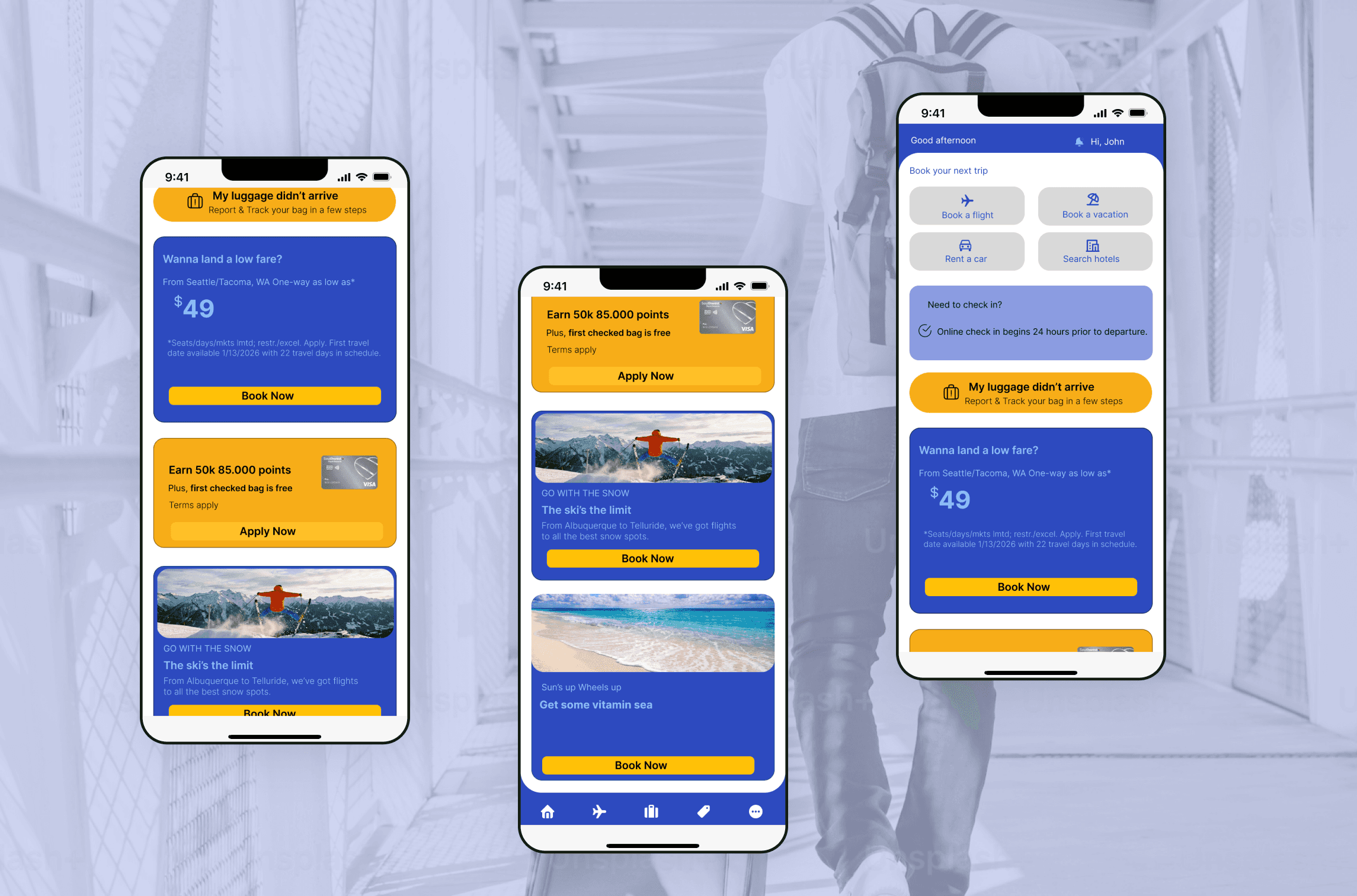
Southwest Baggage Claim
Redesigning the Lost Luggage Experience
Lost luggage is stressful. The experience shouldn’t be.
When travelers lose their luggage, they are often tired, anxious, and short on time. Yet the Southwest app expects them to already have information they don’t have like a bag tag or confirmation number leaving them blocked at the exact moment they need help the most
This case study explores how redesigning a clear entry point, flexible reporting flow, and transparent status updates can reduce stress and rebuild trust during a high-stakes moment.
[Industry]
Travel
[My Role]
End-to-End UX Designer
[Platforms]
Desktop and Android
[Timeline]
October 2025- December 2025
The Problem
Travelers cannot report or track missing luggage when they need help most.
When a checked bag doesn’t arrive, users struggle because:
There is no clear “My luggage is missing” entry point in the app
Reporting and tracking require a bag tag or confirmation number
The experience is fragmented across app, website, and airport staff
There are no real-time updates, timelines, or reassurance
As a result, users feel confused, anxious, and lose trust in the airline’s system
Context & User
“I just landed. My bag is missing. I don’t have any numbers. what should I do now?”
[Persona]
John, 34, is a frequent business traveler.
He lands after a connecting flight, but his checked bag never arrives. He has an important meeting the next morning and no spare clothes. When he opens the Southwest app for help, he discovers he can’t report or track his luggage without a bag tag or confirmation number.

Meet John
A 34-year-old Frequent traveler (work trips)
Age: 34
Tech Proficiency: Consultant / Sales / Tech
Frustrations:
No clear starting point
Can’t proceed without bag tag or confirmation number
Incomplete or conflicting information
Goals:
Quickly understand what happened to the bag
Track luggage without needing extra numbers
Understand how reimbursement works
Research & Insights
I synthesized insights from:
Southwest app walkthrough
Google research
Real user stories from Reddit
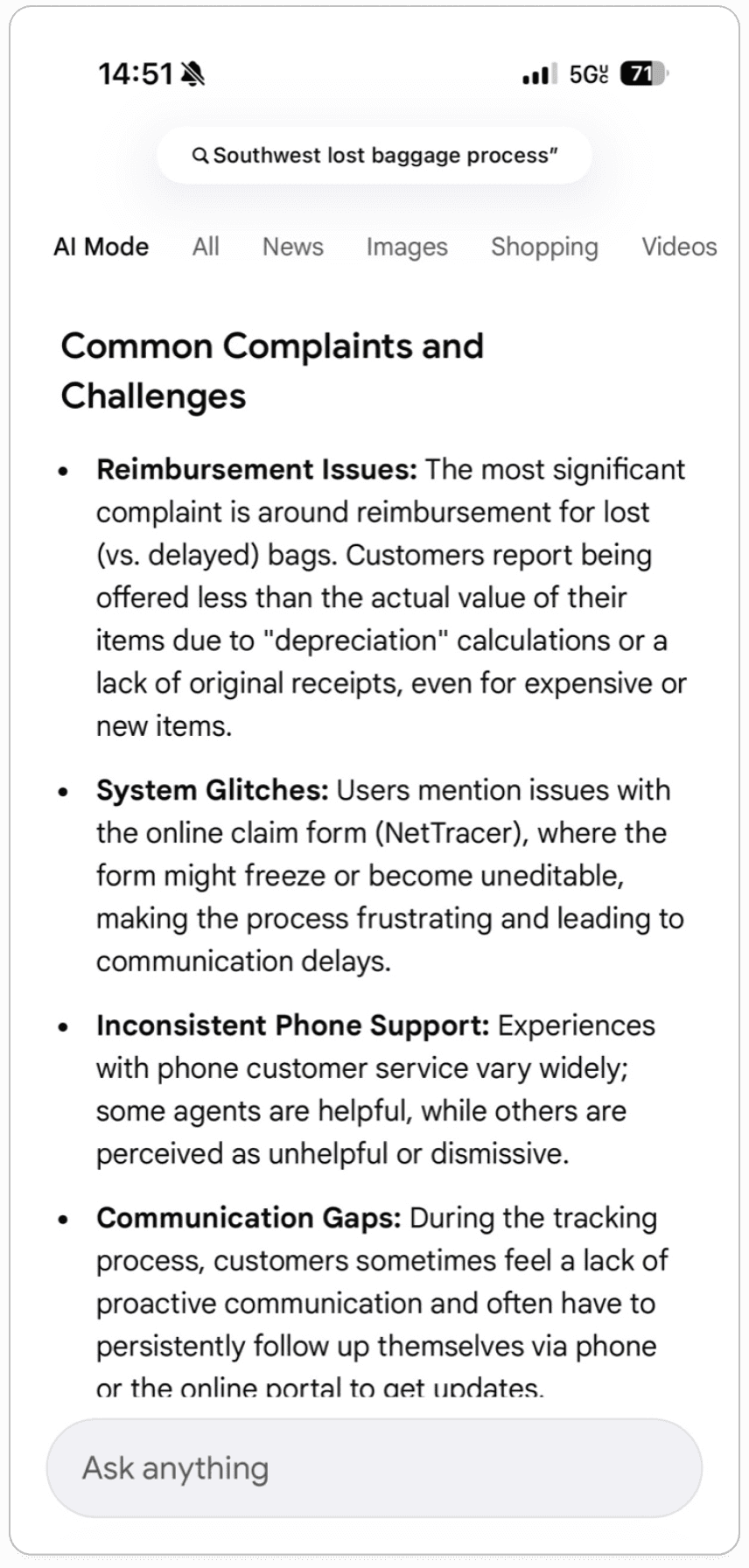
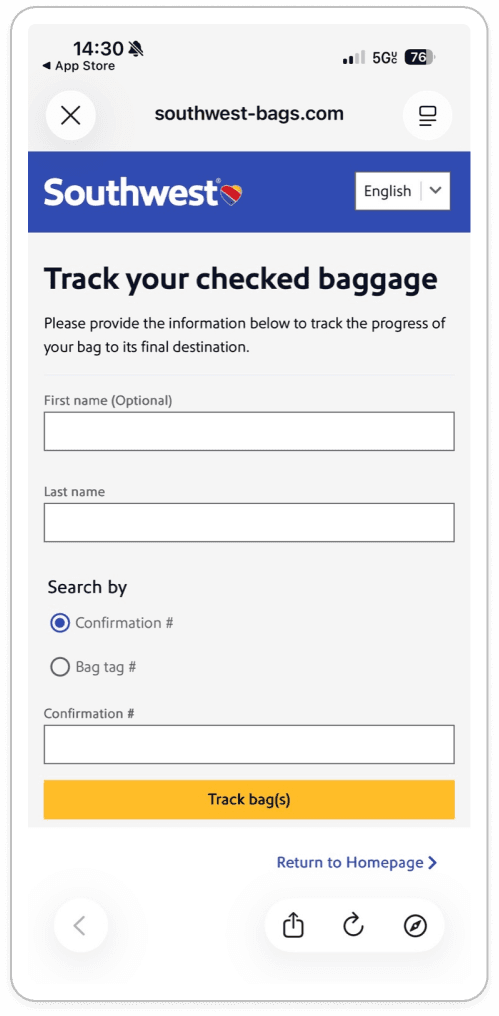
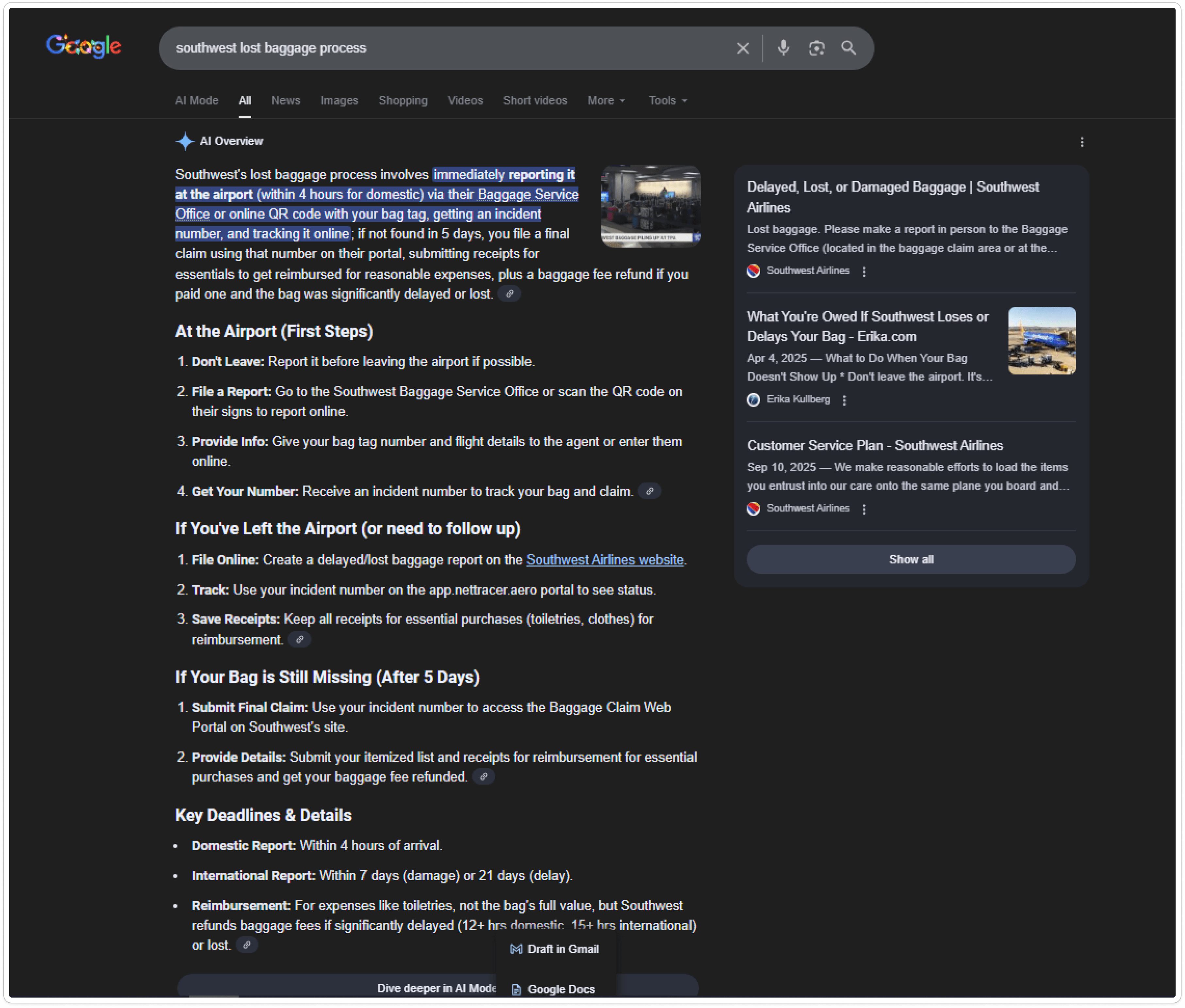
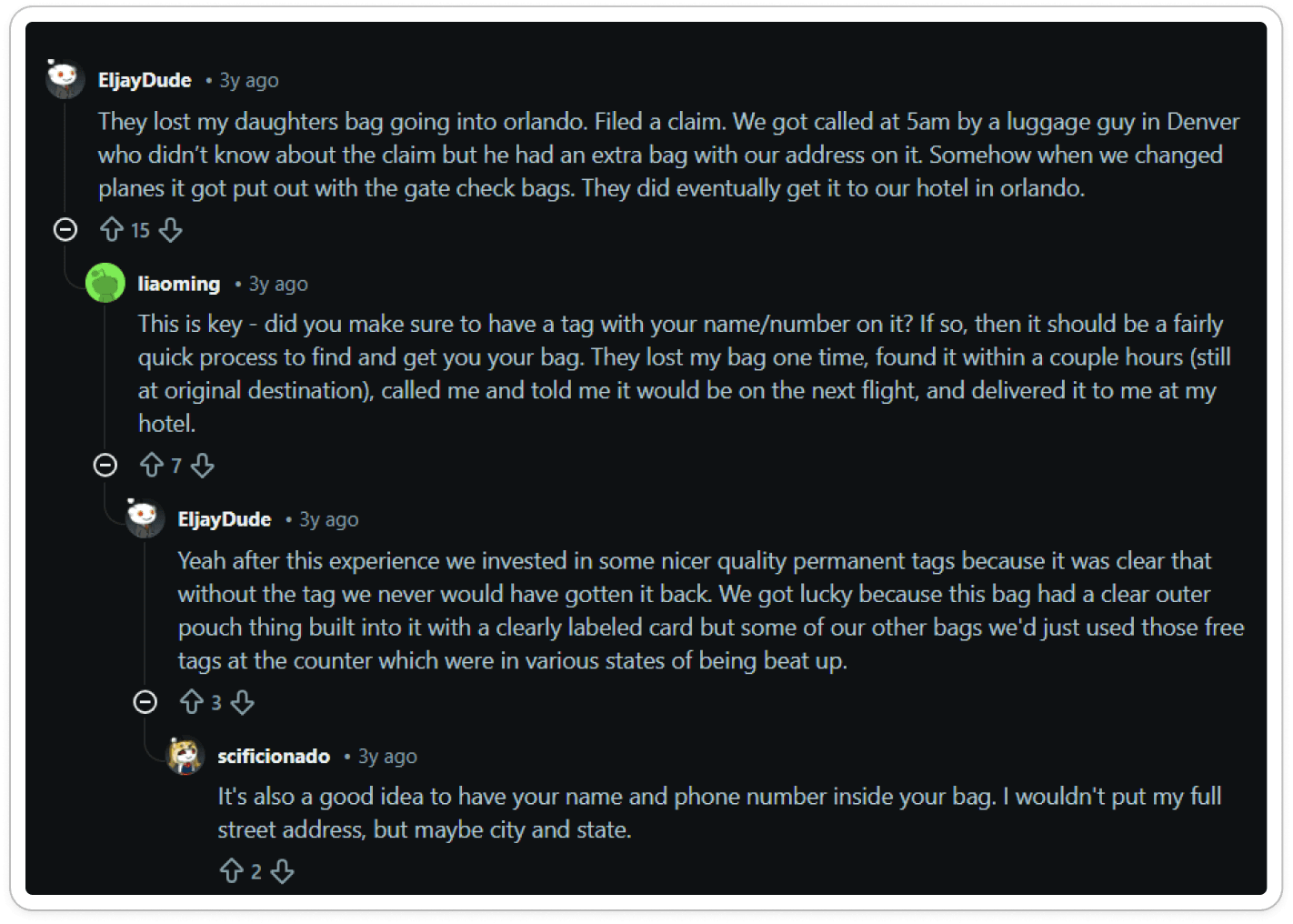
Key Patterns Identified
I designed a primary user flow focused on helping customers quickly choose a drink and place an order. The flow guides users from menu selection to customization and checkout with minimal decision points, reducing friction during ordering.
1. Lack of clear guidance
Users don’t know where to start or what to do next when their luggage is missing.
2. Fragmented experience
Reporting, tracking, and communication happen across multiple channels, creating confusion and repeated effort.
3. Emotional stress and anxiety
Users describe the experience as chaotic, traumatic, and frustrating—especially under time pressure.
4. No transparency or tracking
Users rely on tools like AirTags because airline systems don’t provide trustworthy updates.
5. Reimbursement support gaps
There is no in-app way to upload receipts, track expenses, or understand reimbursement rules
Problem Statement
When luggage goes missing, travelers struggle to report and track it because the app lacks a clear entry point, flexible identification options, and transparent updates, resulting in confusion, stress, and loss of trust.
How Might We…
Help travelers report missing luggage without requiring information they don’t have?
Guide users step by step during a stressful, time-sensitive moment?
Provide clear status updates and timelines so users know what happens next?
Centralize reporting, tracking, delivery, and reimbursement in one place?
The Solution
AS_IS flow

A Clear Entry Point + Guided Flow
I redesigned the experience around one simple idea:
Meet users where they are confused, stressed, and unsure what to do next.
Flow refinement

Key Design Decisions
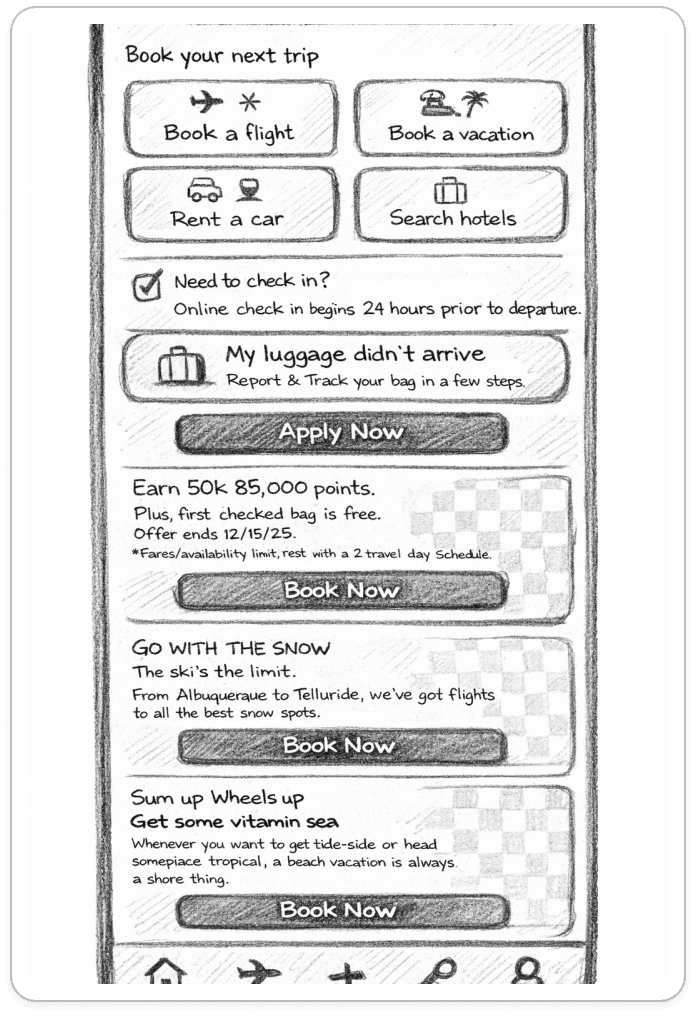
New Home Entry Point
A clear, visible action on the home screen:
“My luggage is missing”
No searching. No guessing.
Flexible Reporting Paths
Users can start a claim:
With a bag tag / confirmation number
Without one, using alternative identification (flight info + bag description)
No dead ends.
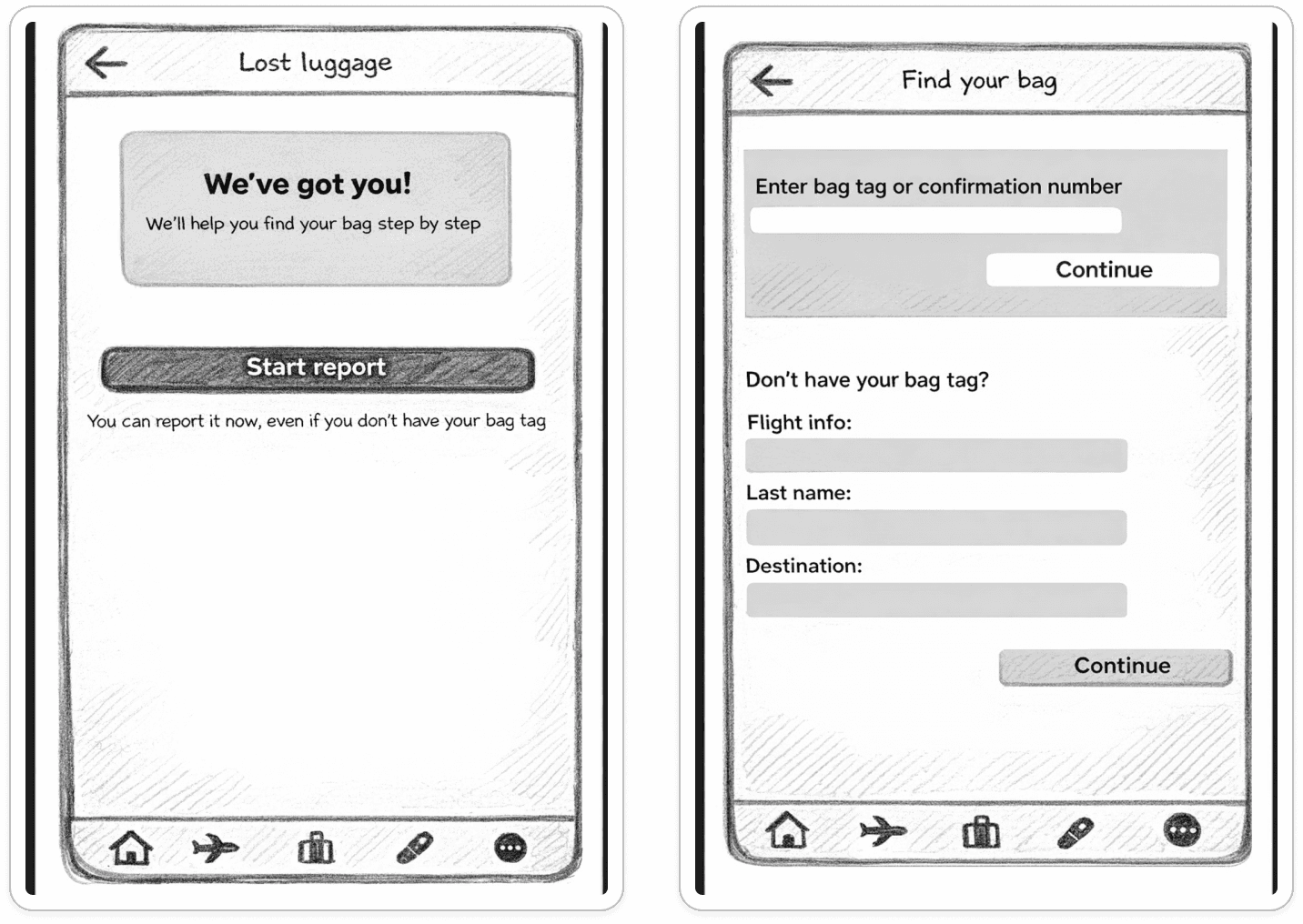
Guided Step-by-Step Flow
The app explains:
What information is needed (and why)
What happens next
What the user should expect at each step

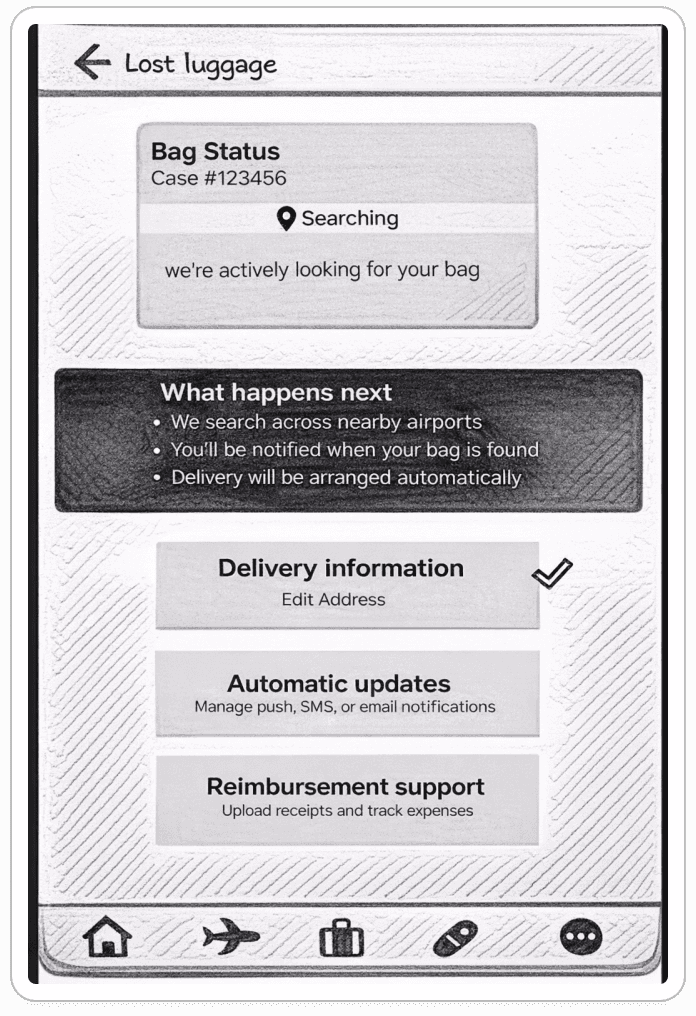
One Central Dashboard
After submitting a claim, users see:
Current bag status
What’s happening now
What happens next
Delivery details
Automatic updates
Reimbursement support
One source of truth.
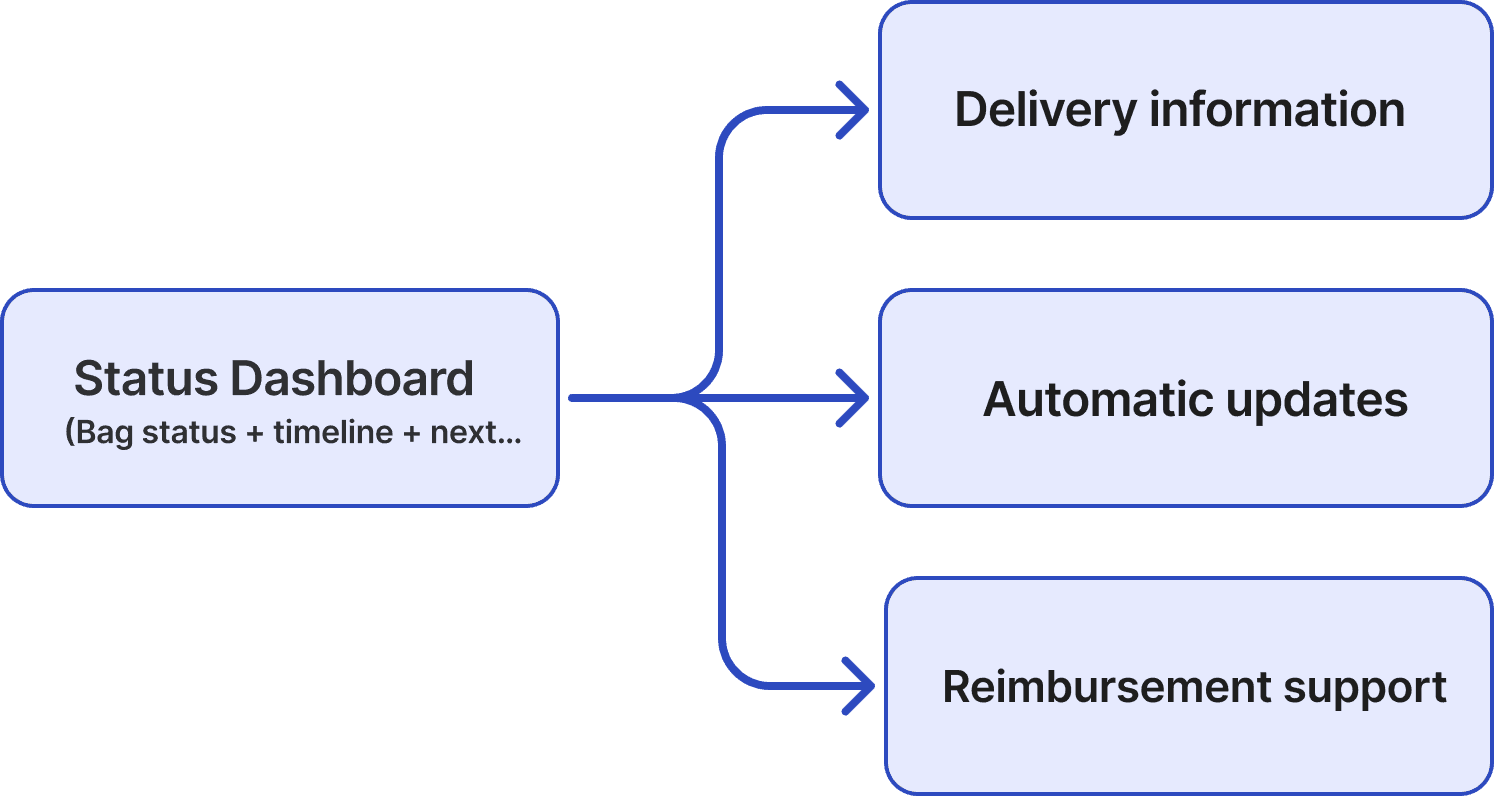
Information Architecture
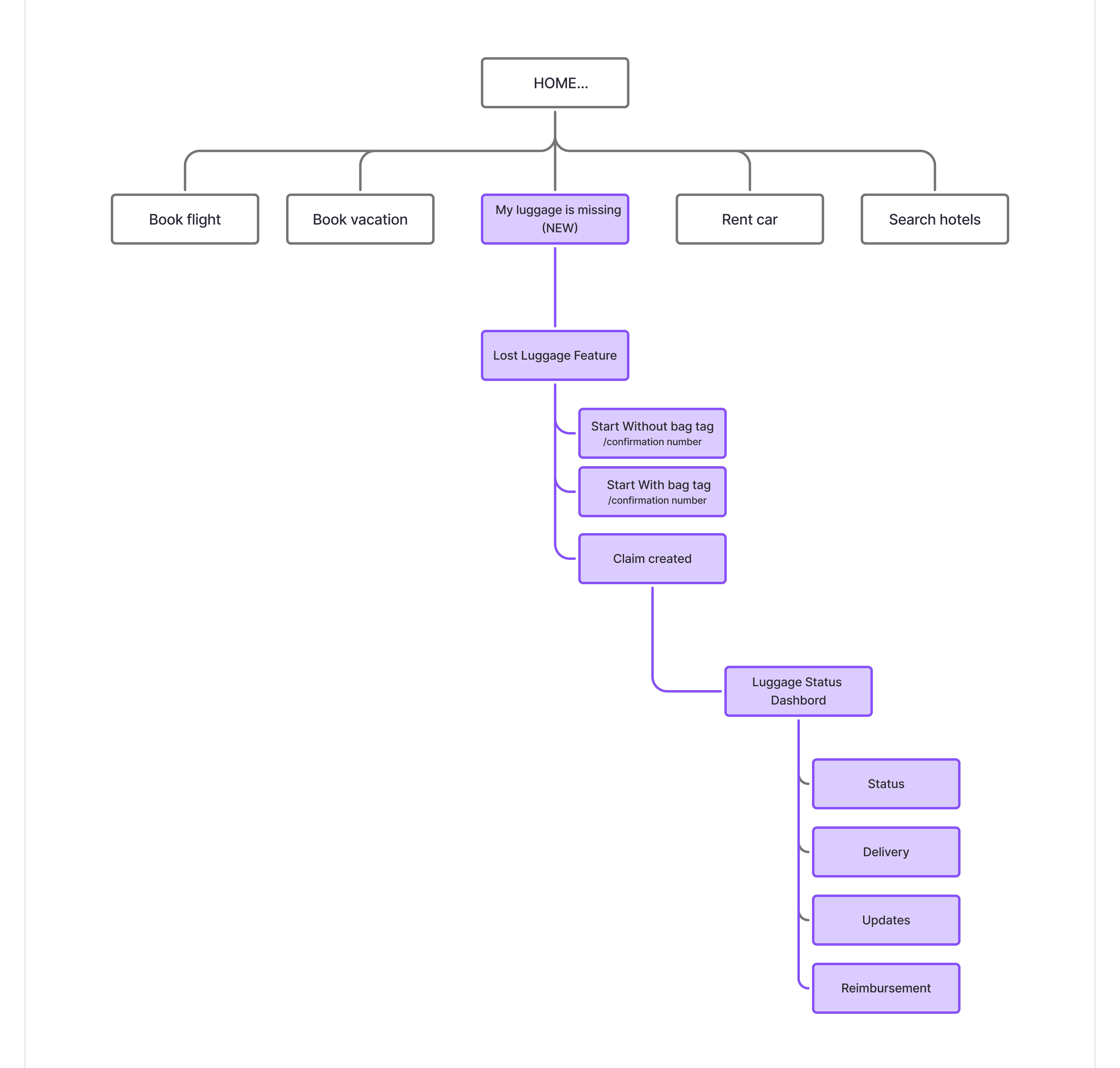
The sitemap introduces a new “My luggage is missing” entry point while keeping the rest of the app structure intact.
From Home → Lost Luggage Feature → Claim Creation → Luggage Status Dashboard
(Status · Delivery · Updates · Reimbursement)
This minimizes disruption while solving a critical gap.
Usability Testing
Method
2 moderated usability tests
Low–mid fidelity prototype
~10 minutes per session
Tasks
Report missing luggage without a bag tag
Check claim status
Update delivery information
Key Findings
Users immediately noticed the new entry point
All tasks were completed without confusion or external help
No major usability blockers were observed
The step-by-step flow reduced anxiety and decision-making effort
Outcome & Impact
This redesign:
Removes the biggest blockers in the lost luggage experience
Reduces user stress during a vulnerable moment
Builds trust through clarity and transparency
Shifts the system from tracking-only to problem-solving
Instead of asking “Why can’t I do anything?”, users now know exactly:
What’s happening. What to do next. And where to find answers.
Next Steps
Expand the reimbursement flow with clearer rules and receipt uploads
Add live chat support for urgent cases
Introduce delivery ETA and proactive delay alerts