[Case 02]
Redesigning to Find and Access Non-Book Services at the Library
Library Universal App

Our challenge
Make it easier to explore what the library provides
Brings hidden offerings to light
Increase access to library services
Maximizes community resources
Redesign the Los Angeles Public Library’s:
“App/website or a set of features” (P3 Kickoff)
[Industry]
Food & Beverage
[My Role]
End-to-End UX Designer
[Platforms]
Desktop and Android
[Timeline]
Nov 13th, 2025
Overview
Research Methods
User Interviews
Interviewed library goers to understand who they were
Usability Testing
Watched people use our designs in person to gather user feedback on first impressions
Contextual Inquiry
Reviewed the current app, the desktop website, and the mobile website to find possible usability problems
Contextual Inquiry
Library App
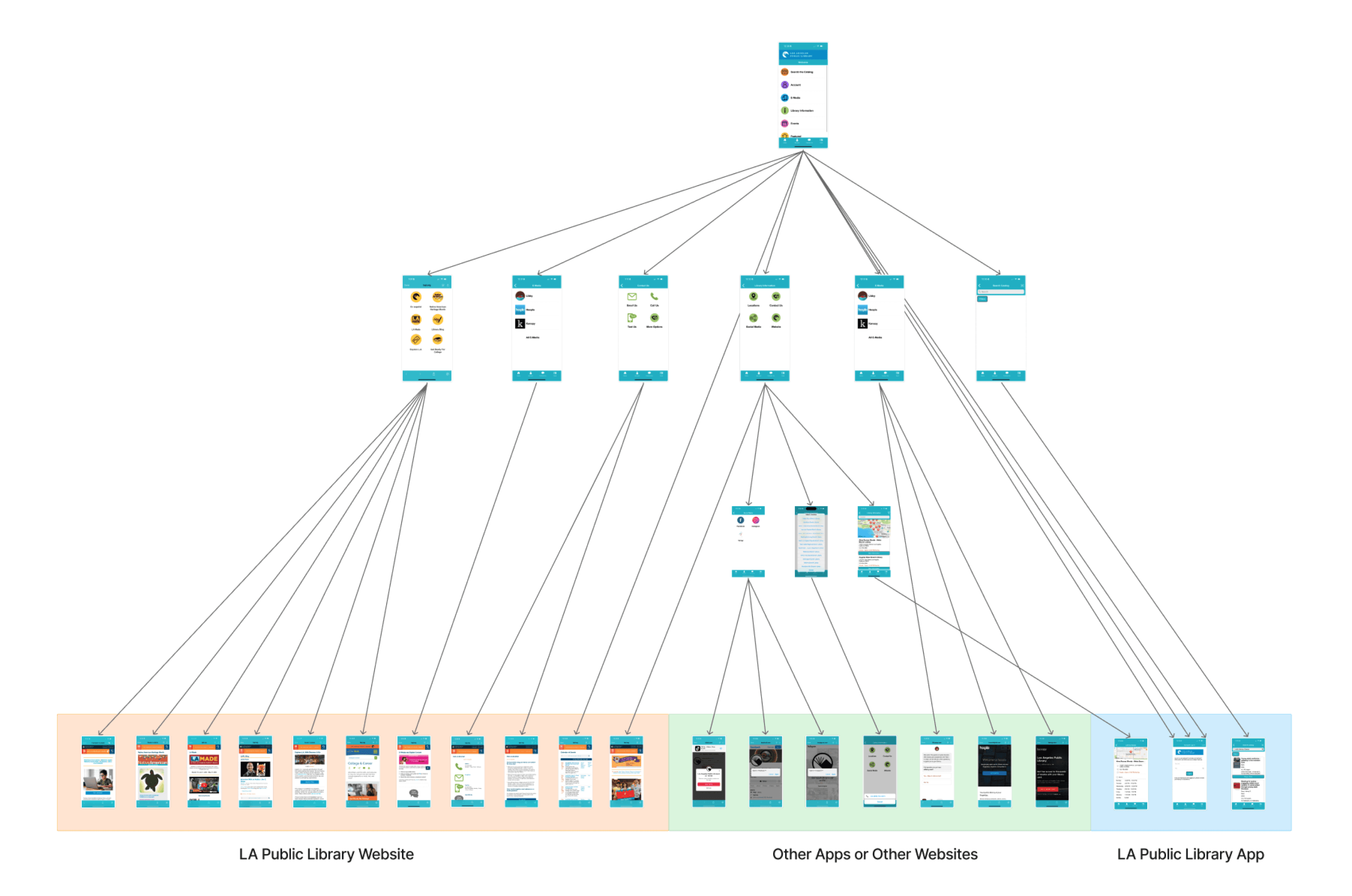
We reviewed every possible path in the library’s mobile app. While the app looked like it offered many features, only 14% of tasks could actually be completed inside the app. Most actions sent users to the mobile website or other tools, such as a phone call.
App Store reviews confirmed this behavior. Users were frustrated with the app’s reliability, but consistently praised the website as the better experience.
Contextual Inquiry
Desktop Website
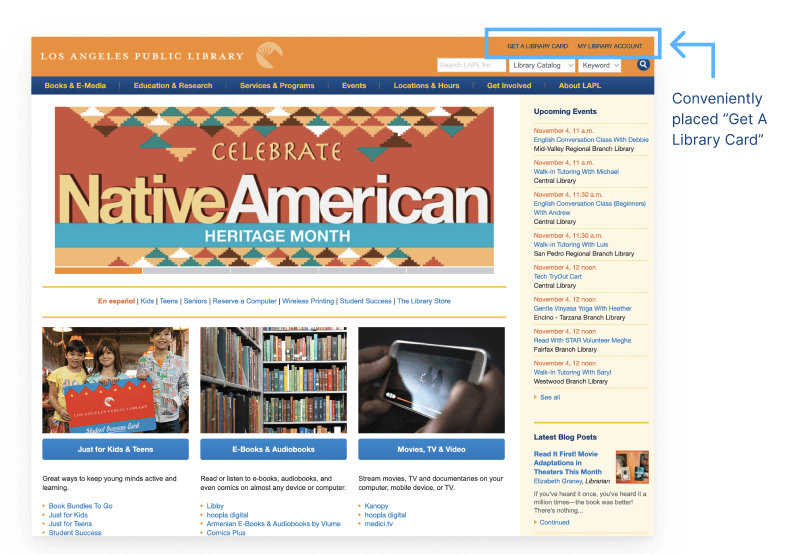
And they’re right—the website is strong, especially on desktop. Key actions like “Get a Library Card” and “My Library Account” are clearly placed in the top-right corner, making them easy to find.
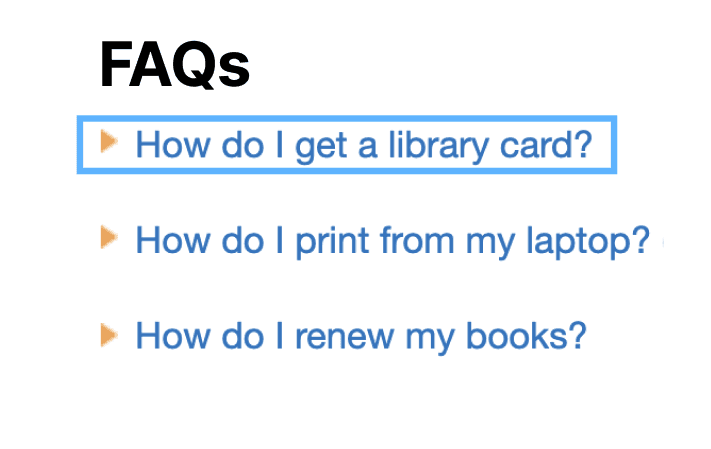
Because of this, we were surprised to see that “How do I get a library card?” was the most frequently asked question in the FAQs. This disconnect led us to closely examine the mobile website to understand where users were getting stuck.
Contextual Inquiry
Mobile Website: the ability to get a library card disappears
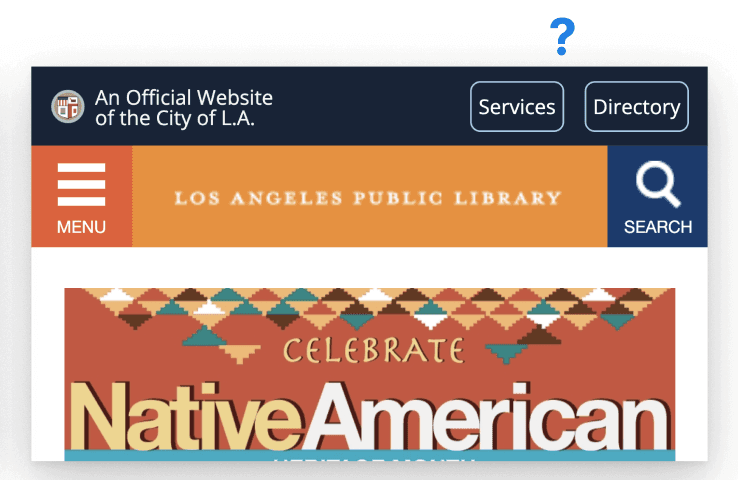
On mobile, the option to get a library card let alone explore services nearly disappears. When we asked users to apply for a library card on the mobile website, it took over three minutes just to find the form, and several users gave up before locating it.
This revealed a clear opportunity: forms are high-impact, fast to improve, and the library card is a foundational step for accessing nearly all library services.
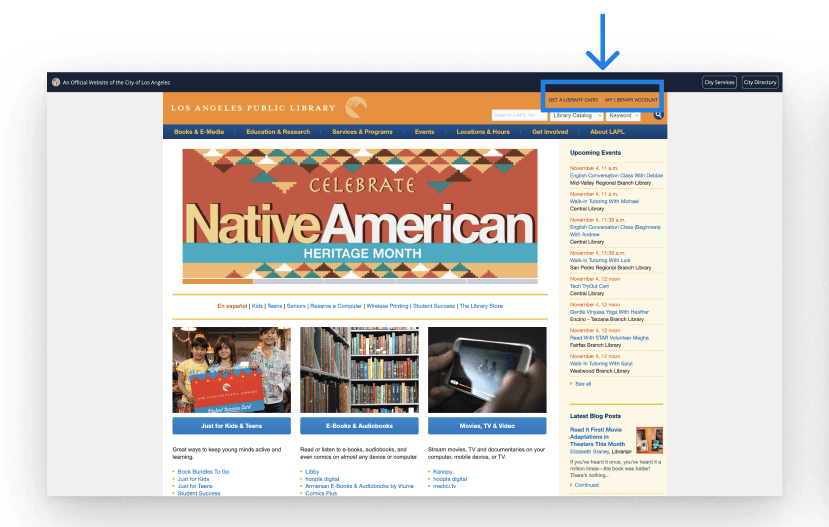
Desktop
Has “get a library card” and “my account” buttons in the top right corner.
Mobile
It takes users more than 3 mins just to find the library card application, and some can’t find it at all within a 10 minute time period.
Deciding Where to Start Our Redesign
Mobile Website
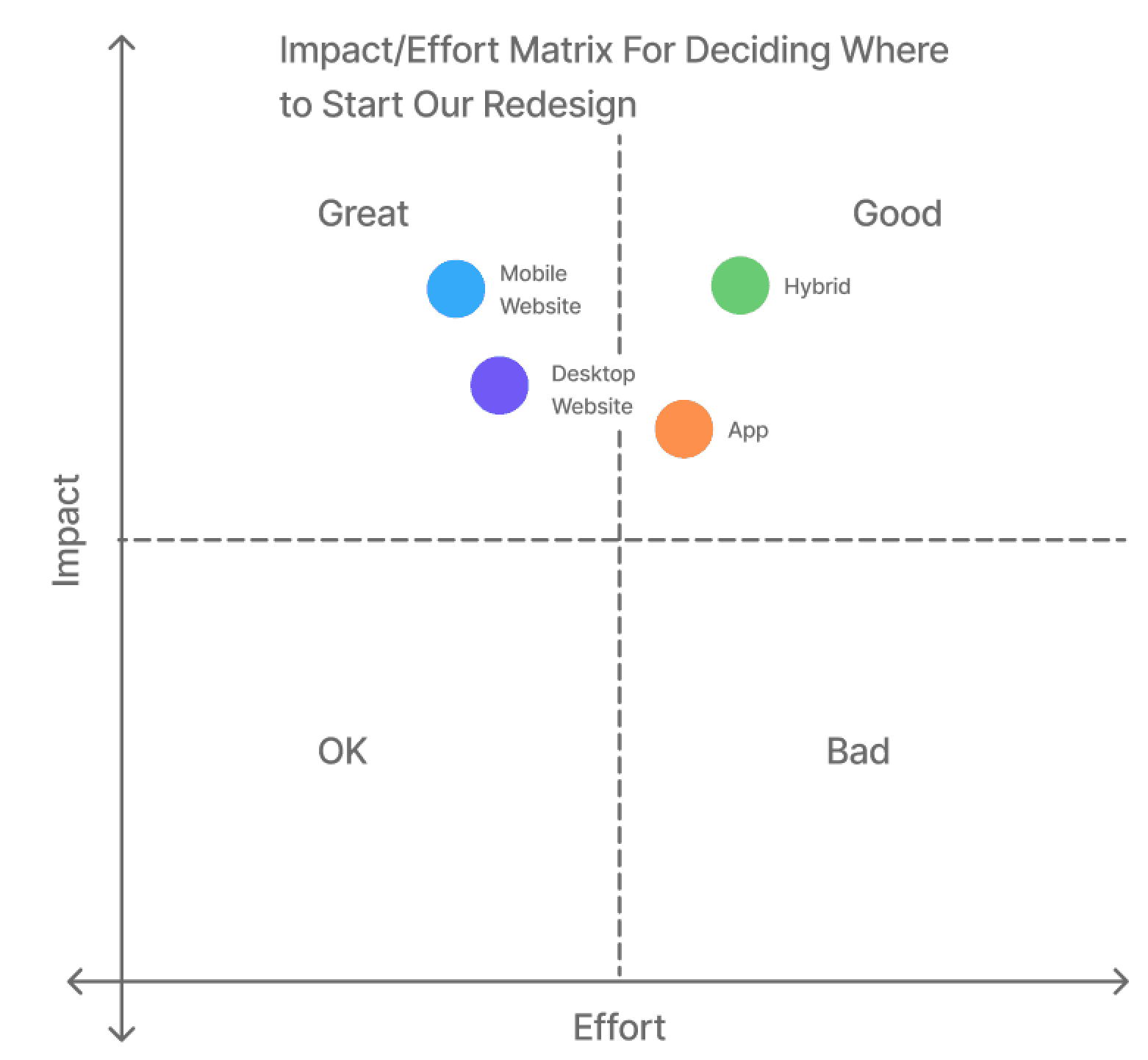
In short, we recommended a mobile website redesign as the fastest way to make meaningful improvements and surface the library’s hidden offerings. This approach allowed us to focus on high-impact changes while supporting our broader goal of making library services easier to discover.
Mobile Website Redesign
Can make the largest impact with the least amount of effort, turning it into an app if we have time.
User Interviews
Goals, Methods, & Participants
For user research, our goal was to understand who uses the library and gather insights to guide the redesign. We conducted structured interviews using the same 10 questions to ensure consistency and focus on non-book services.
We interviewed a diverse group of participants, both in person at the library and remotely via Zoom, based on availability. After completing the interviews, we synthesized the data by writing key quotes on post-it notes and grouping related insights to identify patterns.
Goal
To learn who visits the library and generate ideas for our redesign
Method
Structured interviews to collect comparable data about library services
Participants
Library goers and people who remember the last time they went to the library
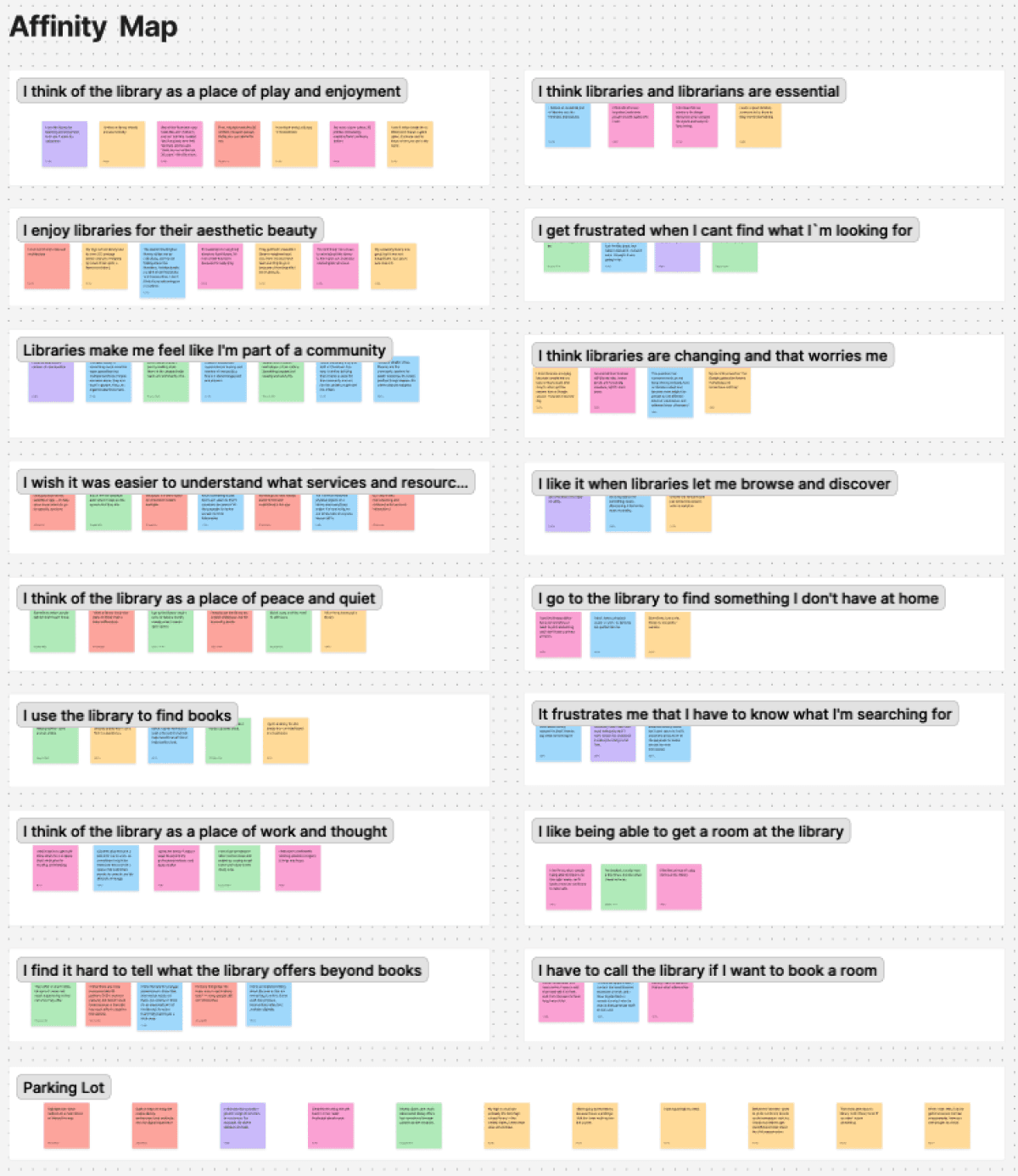
“Affinity Map:” Arrangement of Quotes Into Groupings
User Interviews
Insights
Across interviews, a clear pattern emerged: most users did not understand what services the library offers. Many wanted an easier way to browse and discover, while others expressed frustration with how long it took to find what they needed.
These insights directly informed our primary persona, which guided the rest of the design decisions.
I wish it was easier to understand which services and resources are available
but exploring the website takes so much effort.
I wish I was able to browse and discover
instead of having to explain what it is I want to search for.
I wish I could find what I’m looking for more easily
It’s frustrating when things take forever to find.
User Persona
Meet Maggie

Full-Time Grad Student, Part-Time Barista
Likes to discover new things and have fun with friends
Goals
Discover cool services that don’t feel like work
Browse the site easily like a streaming platform (Netflix/Libby style)
Frustrations
Doesn’t want to go through a long sign-up just to see what’s there
Ideation
Sketching
We wanted to help Maggie with her problem (restate) so we got to sketching.

Design
Redesigning for Better Browsing (Home Page)
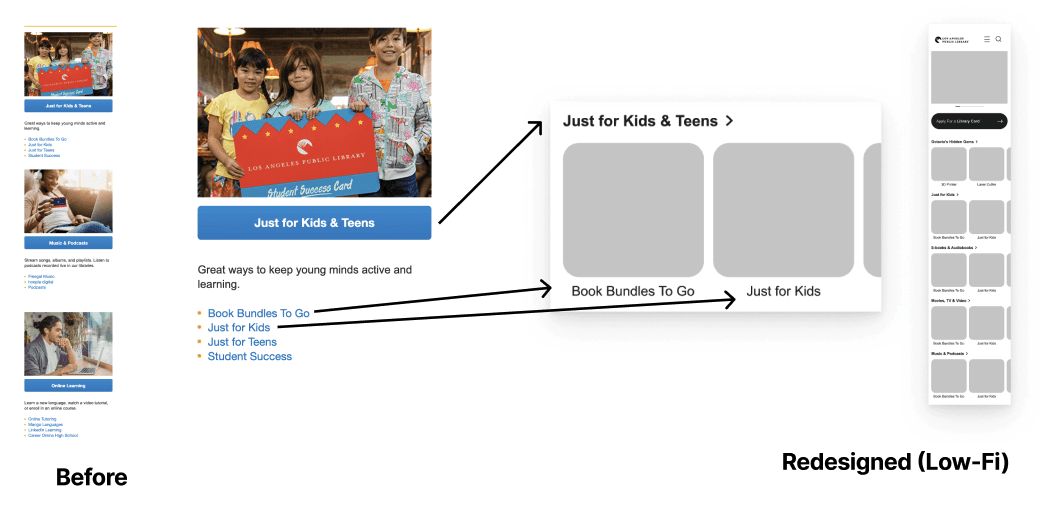
Usability testing showed that users wanted a faster, more visual way to browse, so we redesigned this section using a card-based layout. By replacing long bullet lists with images, users could quickly understand what each service offered before clicking.
Design
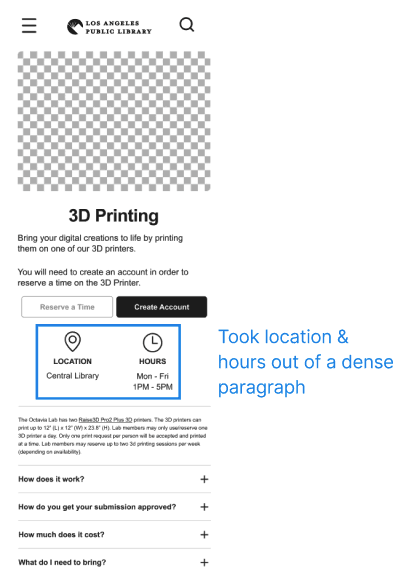
Redesigning 3D Printer Page
Usability testing showed that users wanted a faster, more visual way to browse, so we redesigned this section using a card-based layout. By replacing long bullet lists with images, users could quickly understand what each service offered before clicking.

Before
Redesigned (Low-Fi)
Took location & hours out of a dense paragraph
Design
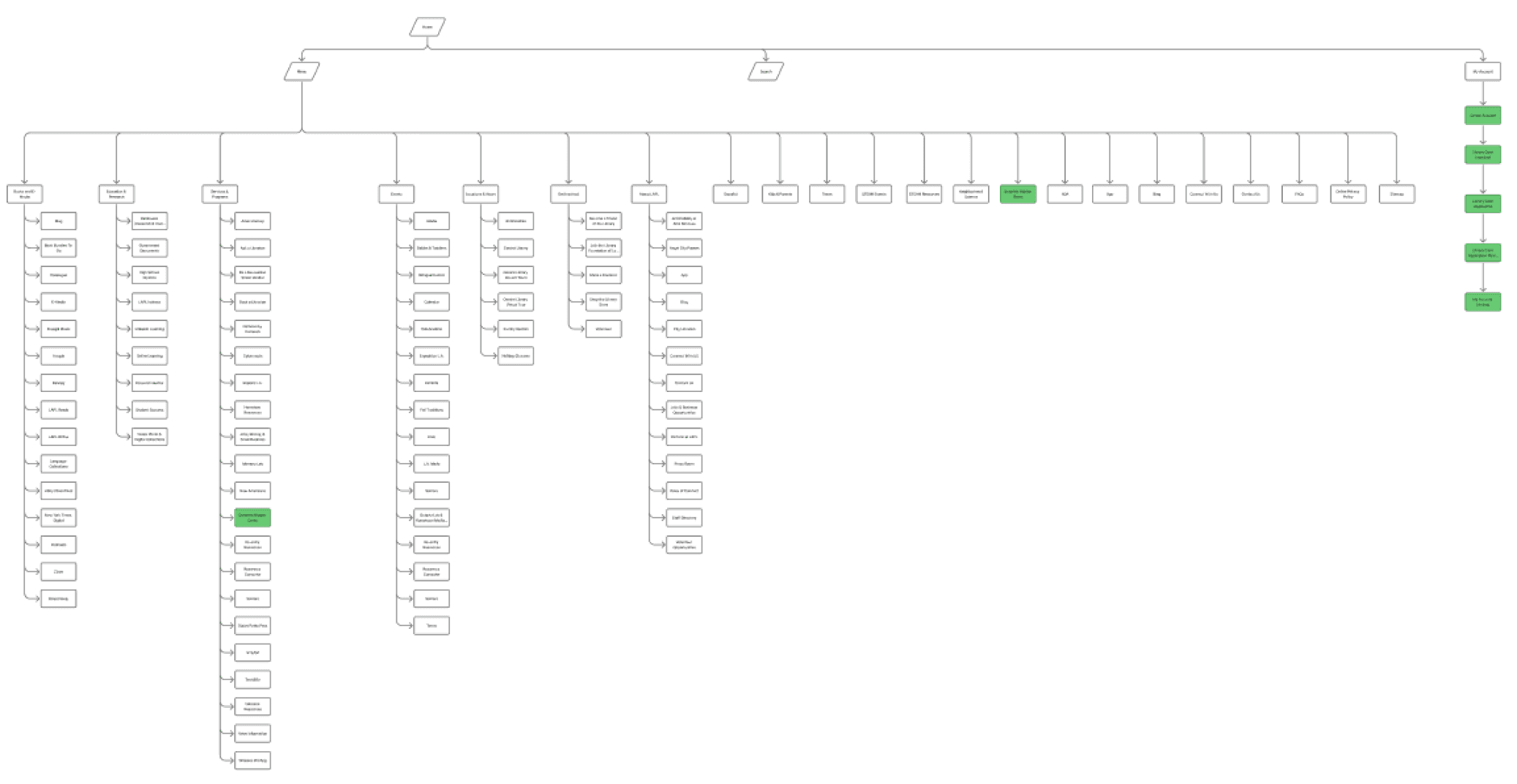
Sitemap
While working on the low-fidelity wireframes, we reviewed the LA Public Library sitemap. On mobile, we found that the library card application was difficult to locate, so we prioritized and surfaced these pages in our redesign.
We focused on the services section (shown in blue), originally called Octavia Lab, because it contained many valuable non-book activities that users were unaware of. To make the purpose clearer and encourage exploration, we renamed the page to “Octavia’s Hidden Gems.”

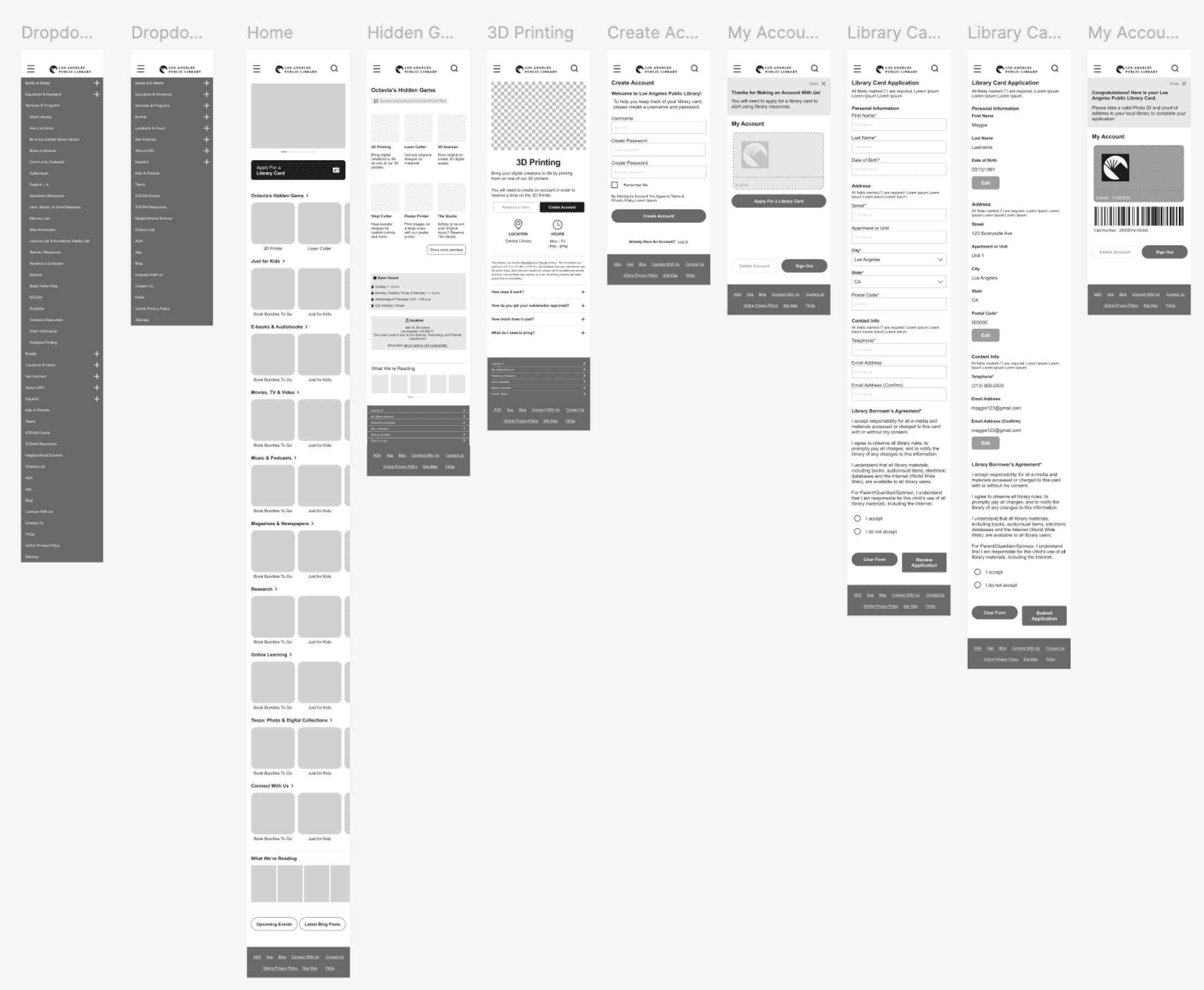
Low Fidelity Wireframes
Preliminary Designs
Goal: To make it easier for Maggie to find and access library services
Usability Test Plan
Goals, Methods, & Participants
After creating a low-fidelity prototype, we ran a quick, in-person usability test with people already at the library. We kept the task simple and realistic, asking users to think aloud while booking a 3D printer.
This approach helped us observe natural behavior and better understand user expectations, even for people who were completely new to the interface.
Goal
To gather user feedback on first impressions of our low-fi designs
Method
Structured interviews to collect comparable data.
Asked “Thinking aloud, show me how you would book a 3D Printer”
Finding
Usability Test Findings 1
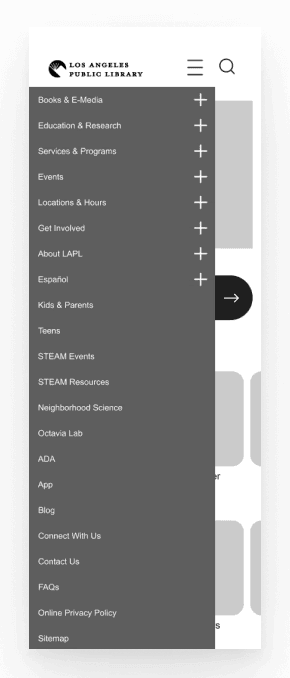
Users expected to find the 3D Printer in the Menu
So we built out the one the library currently has.

There was a little confusion around one of the buttons
So we made it more clear which button was inactive and which was active
Many surprised to see what the library had to offer!
“I didn’t know the library had those kinds of things.”
It was fairly easy and frustration free
“It was fairly easy. Nothing was confusing.”
High Fidelity Wireframes
Final Designs
Goal: To make it easier for Maggie to find and access library services
Phase 2
Next Steps
Goal: To make it easier for Maggie to find and access library services
Card Sort
This is our sitemap of the mobile LA Public Library Website
We want to do a card sort to make it look less crazy
Subject Matter Expert Interview (Katie)
We did not interview her, but we would like to in Phase 2
Sitemap